Introducing AI Fix: Clearer drafts when rules need a human touch
You know the feeling. Vale flags a line. The message is right. Fixing it is not a single word swap. The sentence needs to breathe. Or three different checks all point at the same paragraph, and rewriting once would clean up the whole block.
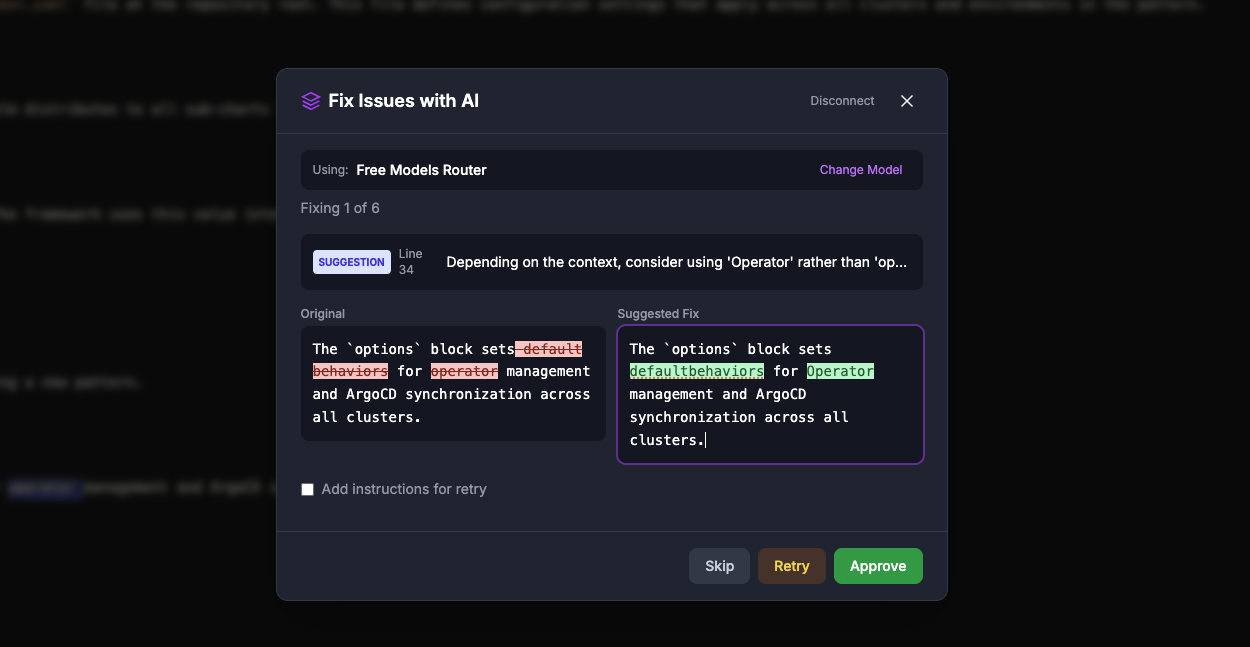
We built AI Fix for exactly that moment. It is an optional assistant that proposes refreshed copy for the passages you choose. It is not a one-shot “fix the whole document” action. You decide which issues to include, then you step through them in order. For each step you see your original text next to the model’s idea, in a diff-style view so changes are easy to scan. You can edit the suggestion inline before you approve. Nothing in your document updates until you are ready to apply the batch you accepted.
Choose a model, then review with intent
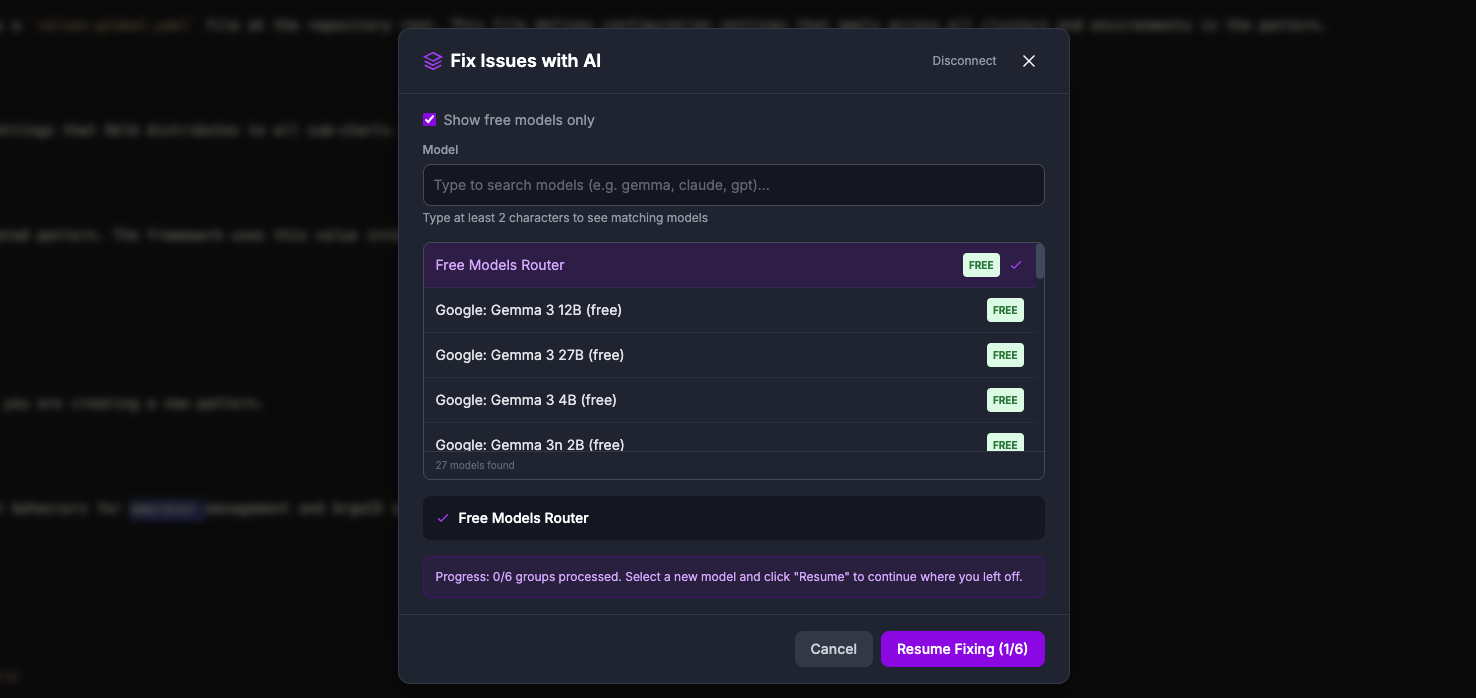
After you connect your OpenRouter account, you pick the model you want for this session (including free options where OpenRouter lists them). Search and filters help you find a good fit for speed, cost, and quality.
Diff first, edit if you like, then approve
AI Fix does not blast through your whole file in one anonymous pass. You move from one focused suggestion to the next, on your timeline. Each stop shows a side-by-side view. Your text sits next to the proposed revision, and additions and removals read clearly so you are never guessing what would change. The suggestion is editable. Tighten a phrase, restore a proper noun, or undo an over-eager rewrite before you tap approve. If a step feels wrong, skip it and keep going. When the walkthrough is done, you apply the batch you accepted so your document updates once, deliberately.
When teams reach for AI Fix
Polishing release notes and READMEs under time pressure. You already ran Vale. The errors are not mysterious, but rewriting ten related sentences before a ship date is slow. AI Fix helps you move from “flagged” to “readable” in a controlled sequence, with you still holding the pen.
Keeping tone consistent across a long guide. Style rules catch passive voice, jargon, or hedging. Turning that feedback into smooth, confident prose is editorial work. AI Fix drafts alternatives you can accept, skip, or edit in place so the chapter still sounds like your team.
Docs-as-code workflows with real markup. Markdown, MDX, AsciiDoc, and other formats stay part of your source of truth. AI Fix is tuned so suggestions aim to preserve structure you care about, not flatten your file into plain paragraphs.
Onboarding writers to a new style package. New contributors see more warnings at first. Pairing Vale with AI Fix can shorten the gap between “I see the issue” and “I know how to fix it,” without replacing your style guide or your judgment.
Trust and control stay with you
ProseLint Web still lints in the browser the way it always has. No account required for Vale. No upload step hidden inside Lint.
AI Fix only runs when you open it from the editor after you have issues. If you never use it, your draft never leaves your machine for that purpose.
When you do use it, you connect your own OpenRouter account, pick from the models you are comfortable with, and disconnect whenever you like. You stay in charge of cost and provider choice. We encourage you to read suggestions carefully. Models can misread context or soften technical accuracy. Treat every proposal like feedback from a colleague: useful, worth verifying, and fine to reject.
How it fits next to quick fixes
Vale’s built-in quick fixes are perfect when the rule knows the exact change: swap this term, drop this word, apply a precise edit. Use those first. They are fast and predictable.
AI Fix is for the gray area. It is for paragraphs where the right answer is “say the same thing, but cleaner,” or where one rewrite addresses several flags at once. The two approaches work together. Quick fixes handle the mechanical edits. AI Fix helps with the editorial lift.
Try it on your next draft
Open the editor, lint your file, and tap AI Fix when you want help on selected issues. Work through each suggestion, use the diff to sanity-check changes, tweak the text if needed, approve what works, and lint again to confirm everything still matches your packages and rules.
We hope AI Fix saves you real time on the writing that matters, while Vale keeps doing what it does best: enforcing the standards your team chose. If you try it, tell us what worked and what did not. Your feedback shapes what we build next.
Lint your docs for free
Browser-based Vale linting. No install, no sign-up, 100% private.
Open ProseLint WebGet it reviewed without GitHub friction
Share docs PRs with anyone for review. GitHub account optional.
Try DraftView free