Tutorial: Enforce Consistent Spelling With a Custom Rule
Nothing confuses readers faster than inconsistent spelling. One paragraph says "advisor," the next says "adviser." One section uses "color," another uses "colour." Neither form is wrong on its own — the problem is using both in the same document.
In this tutorial you'll create an Enforce Consistency rule that catches four common spelling inconsistencies. When Vale finds both forms of a word in the same text, it flags the second occurrence as an error. The whole setup runs in the browser in under a minute.
What you'll build
A Enforce Consistency rule named SpellingConsistency that checks these pairs:
| Option A | Option B |
|---|---|
| advisor | adviser |
| color | colour |
| organize | organise |
| gray | grey |
If both forms of any pair appear in the document, Vale flags the inconsistency.
Prerequisites
Open the ProseLint Web editor in your browser. No account or installation required.
Step 1 — Open the Packages modal
Navigate to the editor and click the Packages button in the toolbar.

Step 2 — Switch to the Custom Rules tab
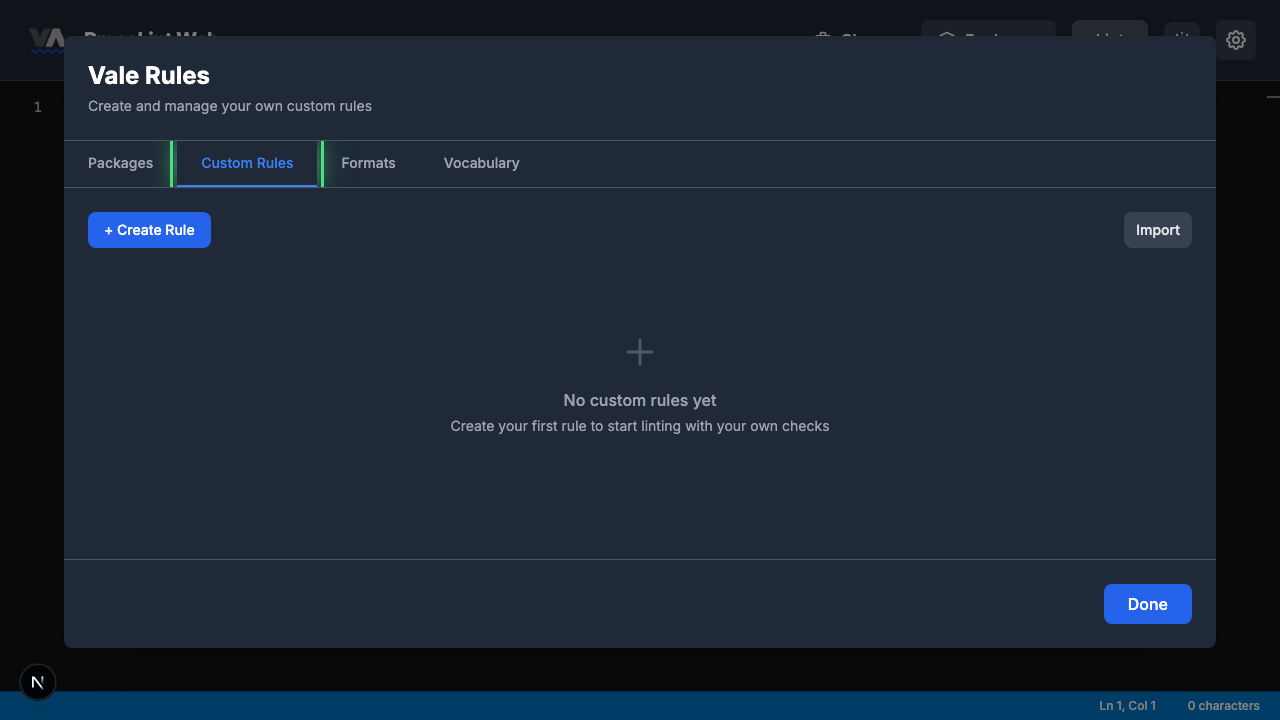
The Packages modal opens showing available style guide packages. Click the Custom Rules tab to switch to the rule management view.
Step 3 — Create a new rule
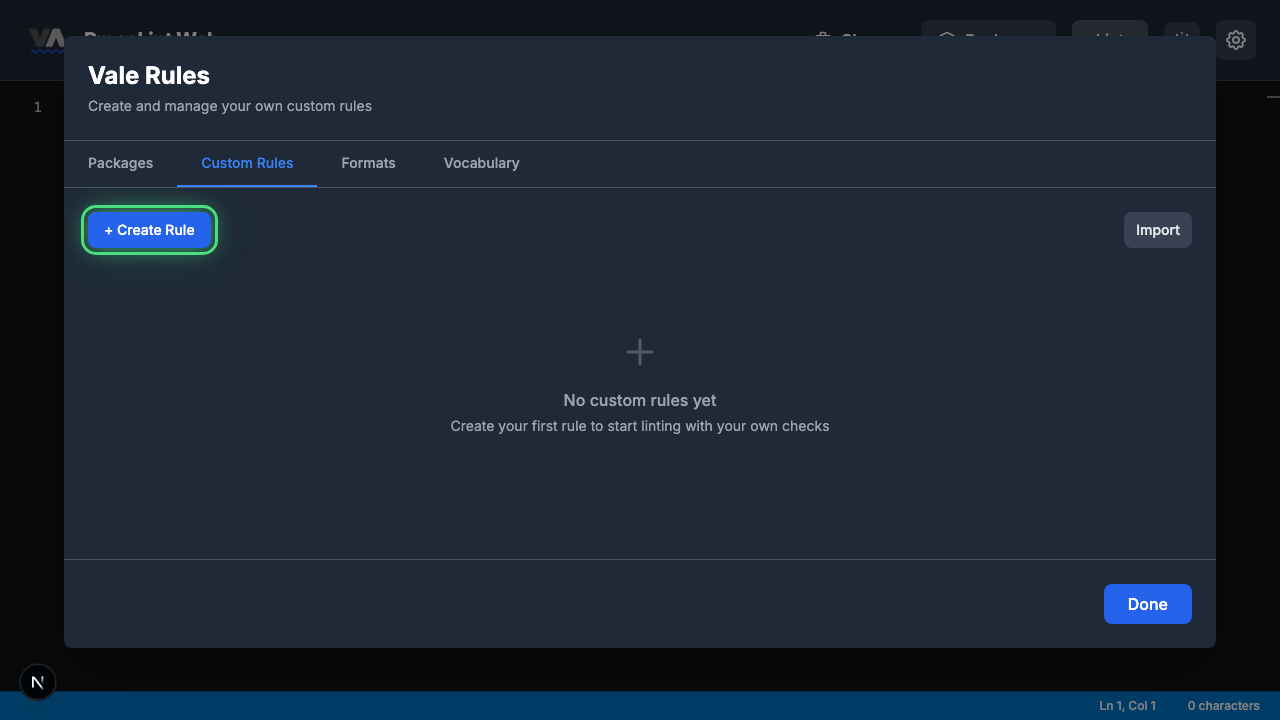
The Custom Rules tab shows your existing rules (or an empty state). Click + Create Rule to open the rule type picker.
Step 4 — Pick "Enforce Consistency"
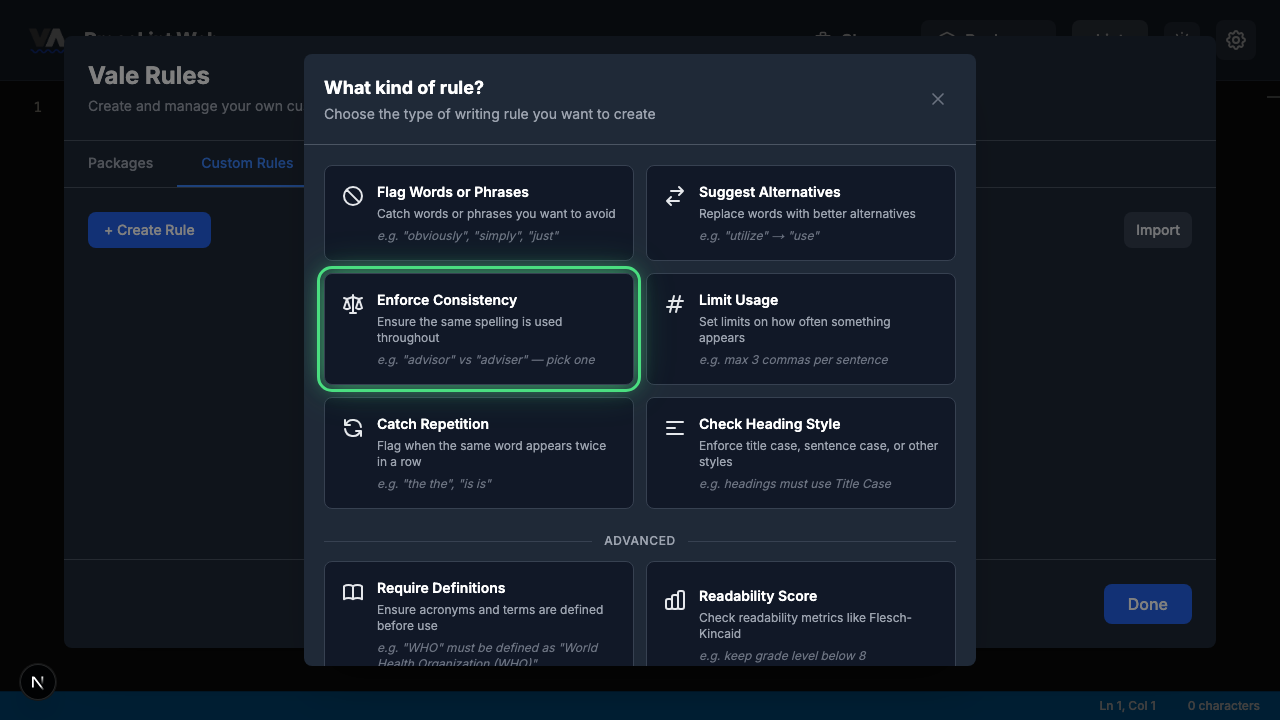
The rule type picker shows all eight Vale check types. Click Enforce Consistency — this rule type flags when two variant spellings of the same word both appear in a document.
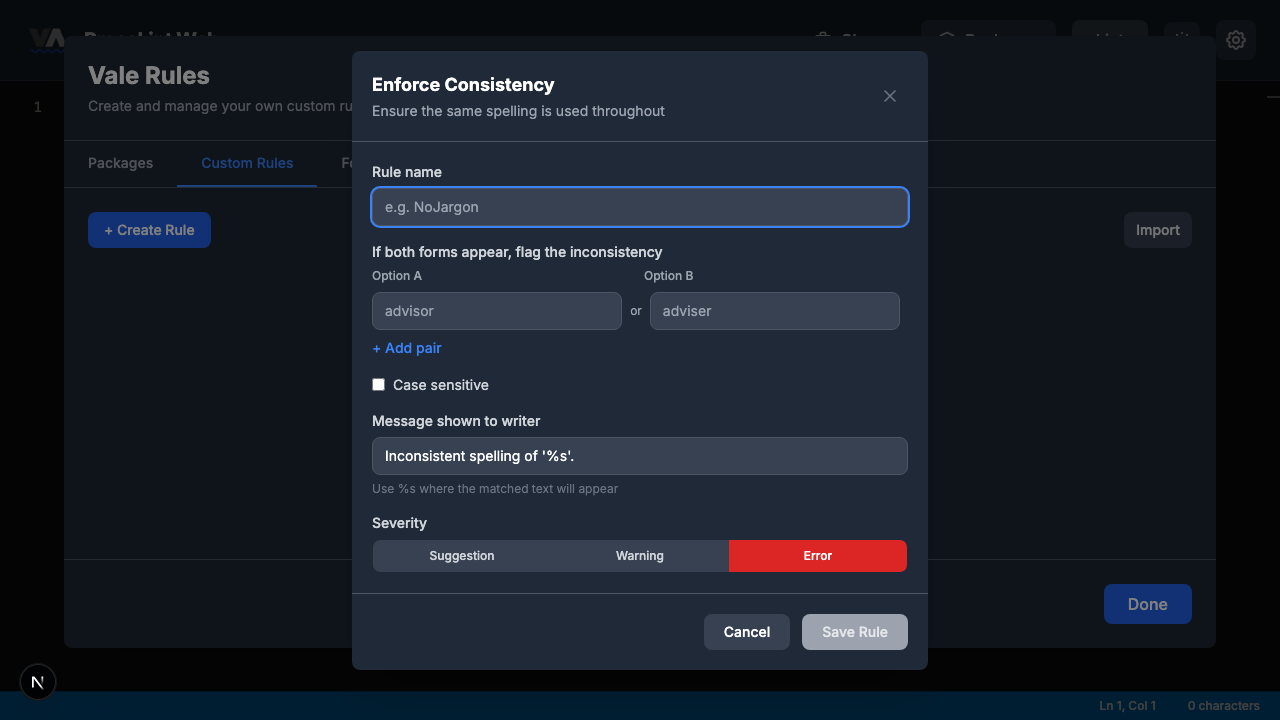
Step 5 — Review the rule builder form
The rule builder opens with one empty pair. The form has these sections:
- Rule name — a unique identifier for your rule
- Consistency pairs — pairs of "Option A" and "Option B" values
- + Add pair — add more consistency pairs
- Case sensitive — whether matching respects capitalization (off by default)
- Message shown to writer — pre-filled with
Inconsistent spelling of '%s'. - Severity — suggestion, warning, or error (defaults to error)
Step 6 — Fill in the rule and save
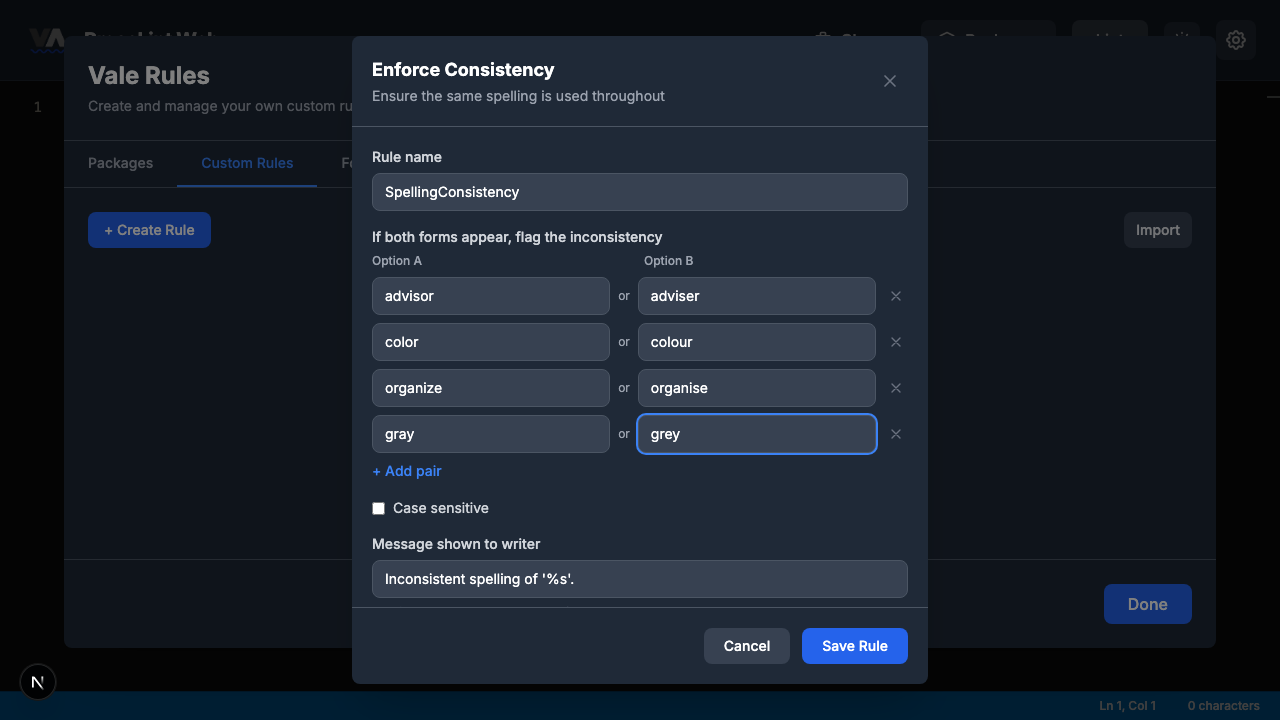
Enter SpellingConsistency as the rule name, then fill in the pairs. Click + Add pair to add more rows:
| Option A | Option B |
|---|---|
| advisor | adviser |
| color | colour |
| organize | organise |
| gray | grey |
Leave the message as the default (Inconsistent spelling of '%s'.) and the severity at Error. Leave Case sensitive unchecked so the rule catches both "Color" and "color."
When all pairs are filled in, click Save Rule.
Step 7 — Close the modal
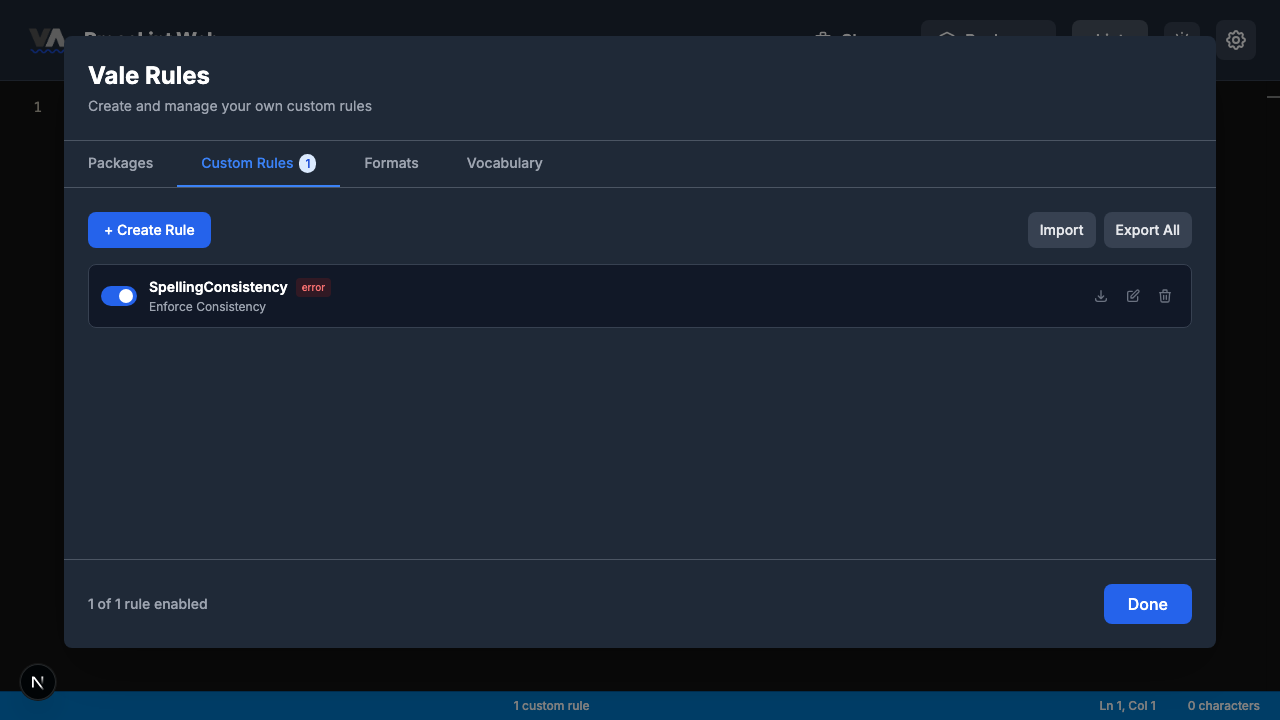
The rule is saved and appears in the Custom Rules tab. The toggle is enabled by default. Click Done to close the modal and return to the editor.
Step 8 — Enter some text and lint
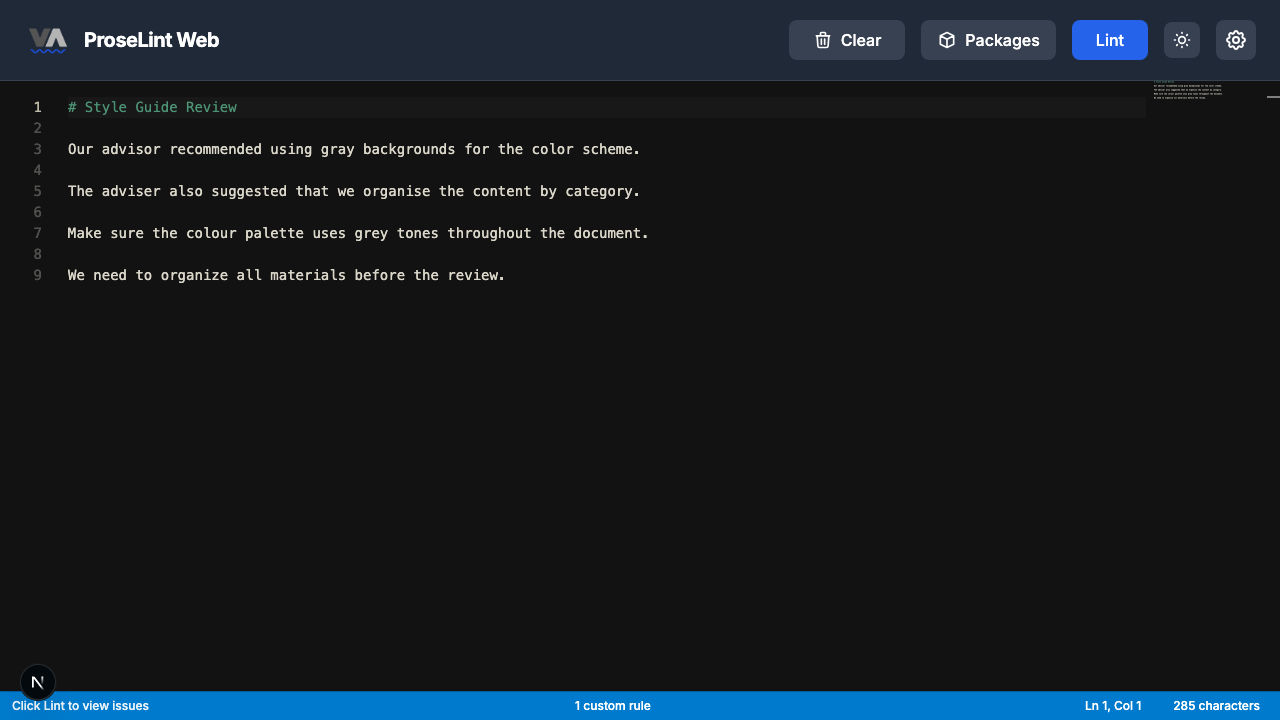
Paste this Markdown into the editor. It deliberately mixes both spellings from each pair:
# Style Guide Review

Our advisor recommended using gray backgrounds for the color scheme.

The adviser also suggested that we organise the content by category.

Make sure the colour palette uses grey tones throughout the document.

We need to organize all materials before the review.
Click the Lint button to run Vale.
Step 9 — Inspect an error
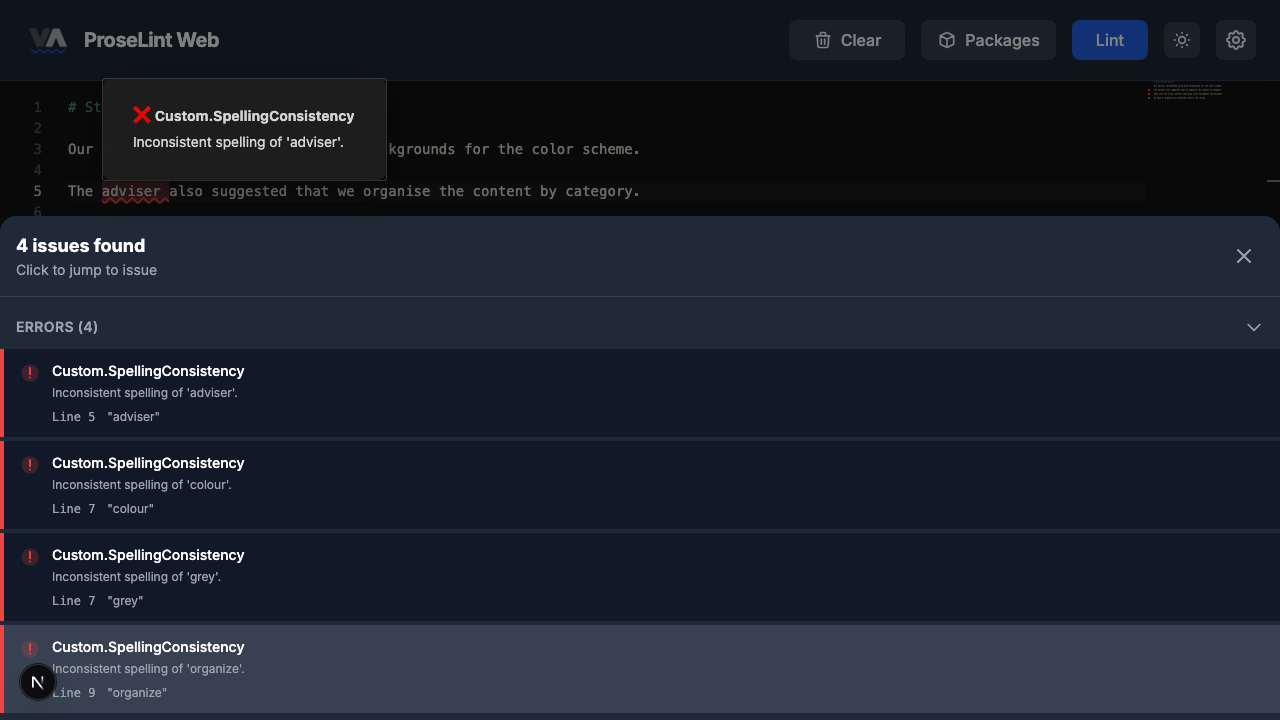
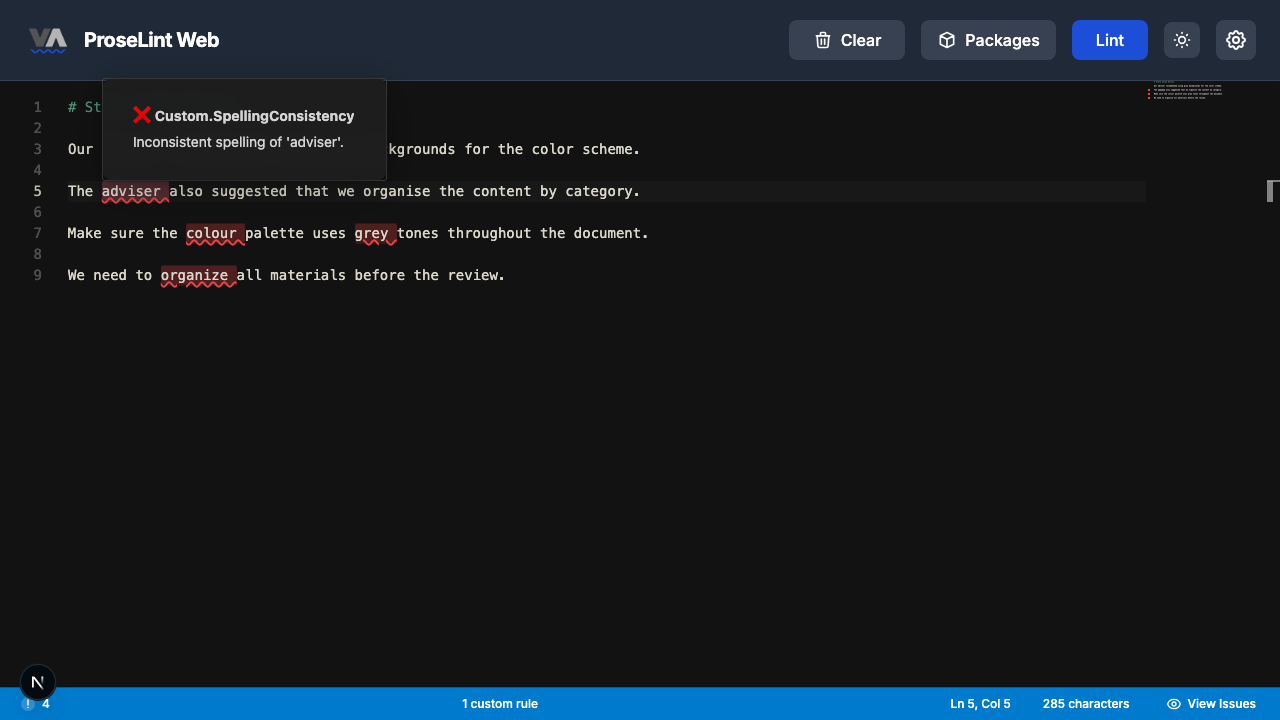
After linting, Vale highlights the inconsistencies with red underlines (since severity is set to Error). Hover over a highlighted word to see the details in a popover.
Step 10 — Review all issues
Click View Issues in the status bar to open the issues panel. The errors show which words were flagged for inconsistency:
- adviser — Inconsistent spelling of 'adviser'.
- organise — Inconsistent spelling of 'organise'.
- colour — Inconsistent spelling of 'colour'.
- grey — Inconsistent spelling of 'grey'.
Vale saw "advisor" first and then flagged "adviser" when it appeared later. The same logic applies to all four pairs — the second variant encountered is the one that gets flagged.
How consistency rules work
Unlike flag rules that ban specific words, consistency rules don't care which spelling you use. They only flag a problem when both forms appear in the same document. This makes them ideal for style guides where either spelling is acceptable but mixing them is not.
Next steps
- Expand the rule — add pairs like "focussed/focused," "cancelled/canceled," or "toward/towards."
- Export and share — click Export on the rule card to download a
.ymlfile. - Combine with other rules — use alongside a substitution rule for comprehensive editorial coverage.
- Try other rule types — the custom rules overview covers all eight Vale check types.
Resources
- Tutorial: Flag Words or Phrases — ban specific words entirely
- Tutorial: Suggest Alternatives — replace words with better options
- Custom rules overview — all 8 rule types explained
- ProseLint Web editor — try it now
Lint your docs for free
Browser-based Vale linting. No install, no sign-up, 100% private.
Open ProseLint WebGet it reviewed without GitHub friction
Share docs PRs with anyone for review. GitHub account optional.
Try DraftView free