Tutorial: Limit Word Repetition With a Custom Rule
Mark Twain said it best: "Substitute 'damn' every time you're inclined to write 'very'; your editor will delete it and the writing will be just as it should be." The word "very" is a crutch — it adds nothing that a stronger adjective can't handle. "Very tired" becomes "exhausted." "Very big" becomes "enormous."
In this tutorial you'll create a Limit Usage rule that flags any sentence containing the word "very" more than once. One "very" might be acceptable; two in the same sentence signals lazy writing.
What you'll build
A Limit Usage rule named LimitVery with these settings:
| Setting | Value |
|---|---|
| What to count | very |
| Count within | Sentence |
| Maximum | 1 |
| Severity | Warning |
When a single sentence contains "very" more than once, Vale flags it.
Prerequisites
Open the ProseLint Web editor in your browser. No account or installation required.
Step 1 — Open the Packages modal
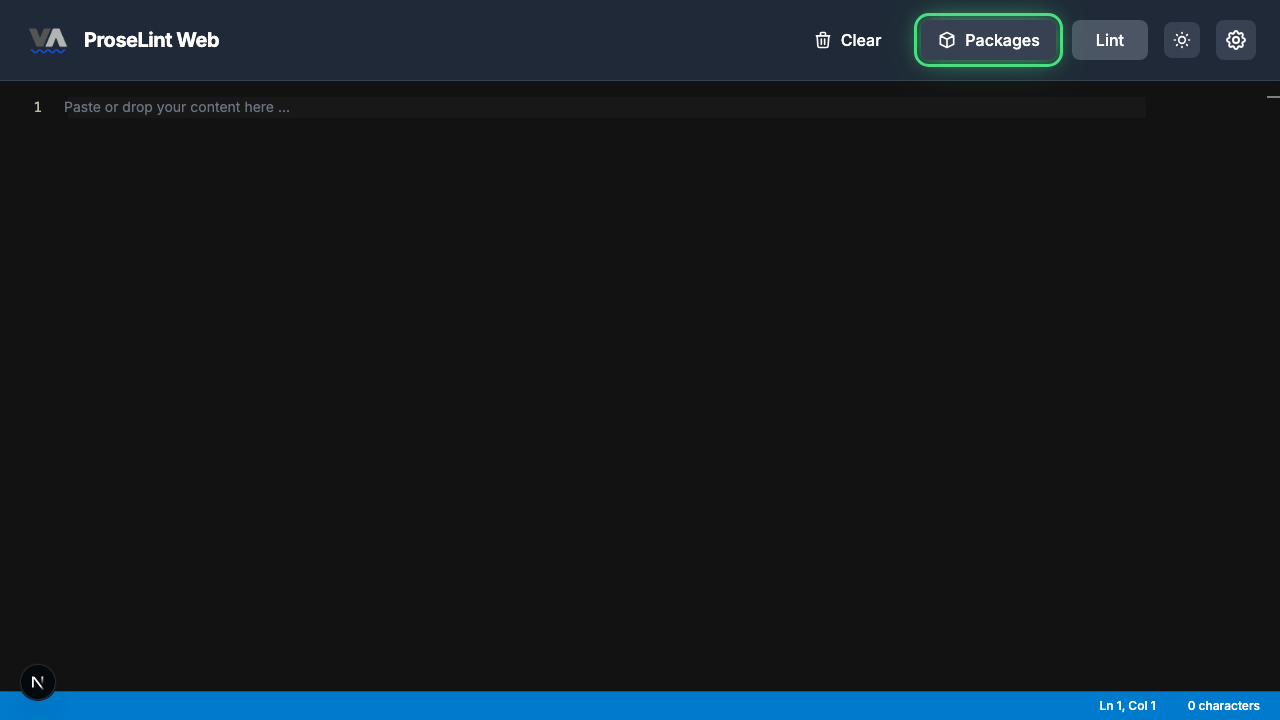
Navigate to the editor and click the Packages button in the toolbar.
Step 2 — Switch to the Custom Rules tab
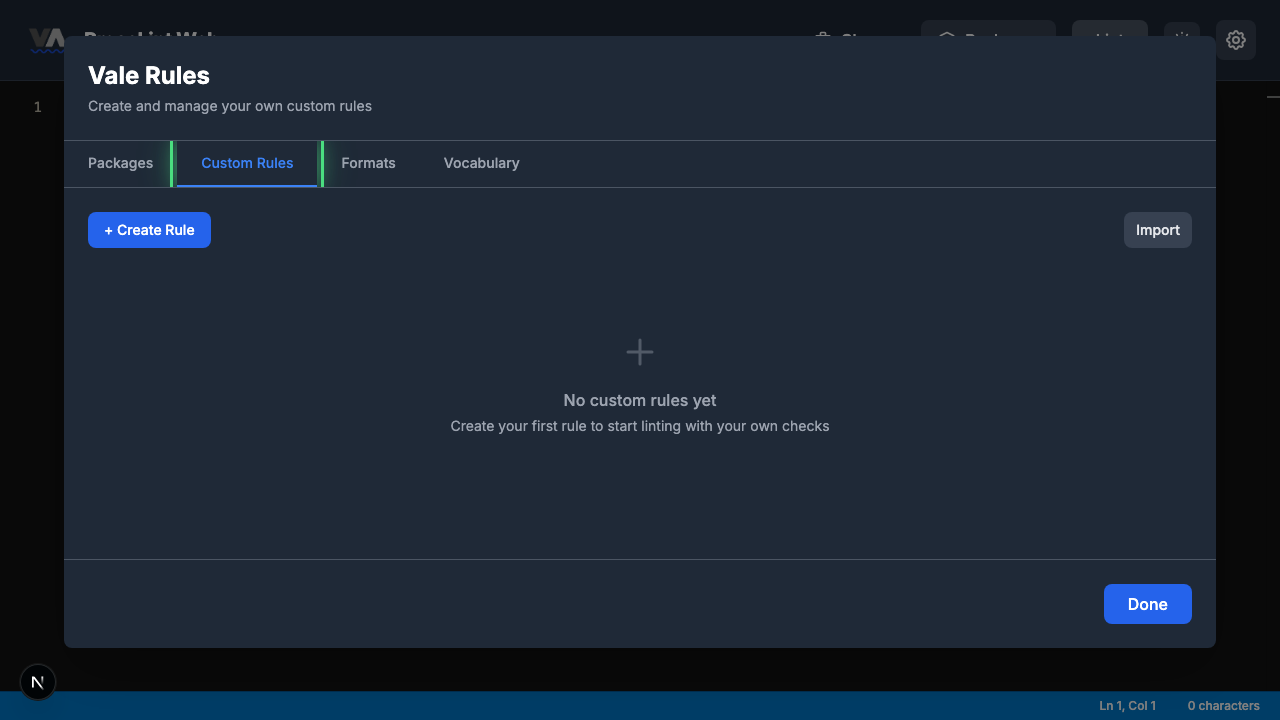
The Packages modal opens showing available style guide packages. Click the Custom Rules tab to switch to the rule management view.
Step 3 — Create a new rule
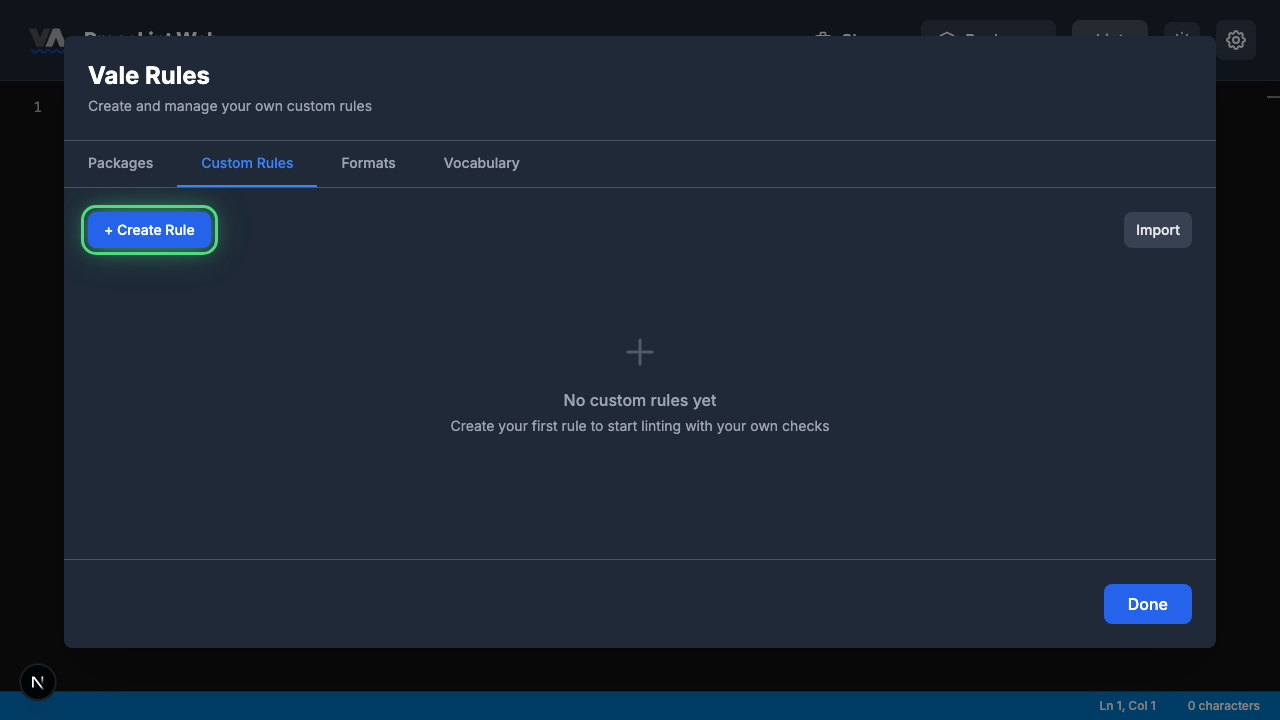
Click + Create Rule to open the rule type picker.
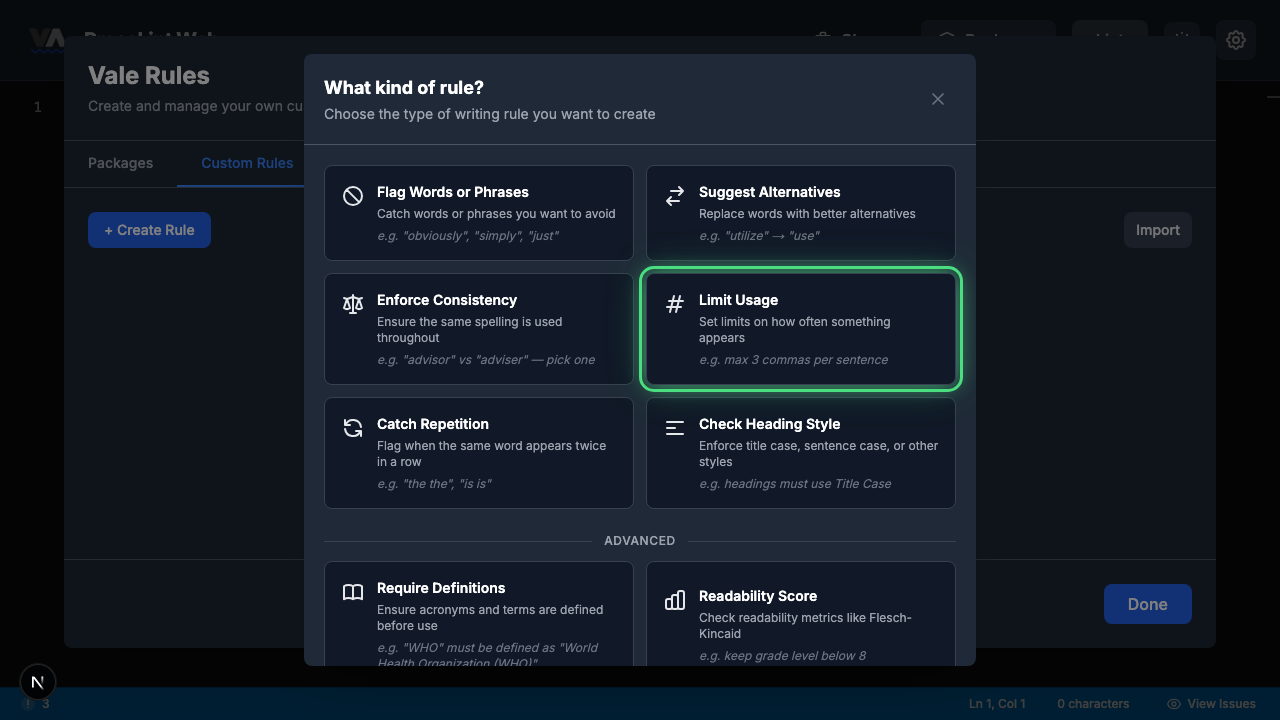
Step 4 — Pick "Limit Usage"
The rule type picker shows all eight Vale check types. Click Limit Usage — this rule type sets limits on how often something appears within a given scope (sentence, paragraph, or document).
Step 5 — Review the rule builder form
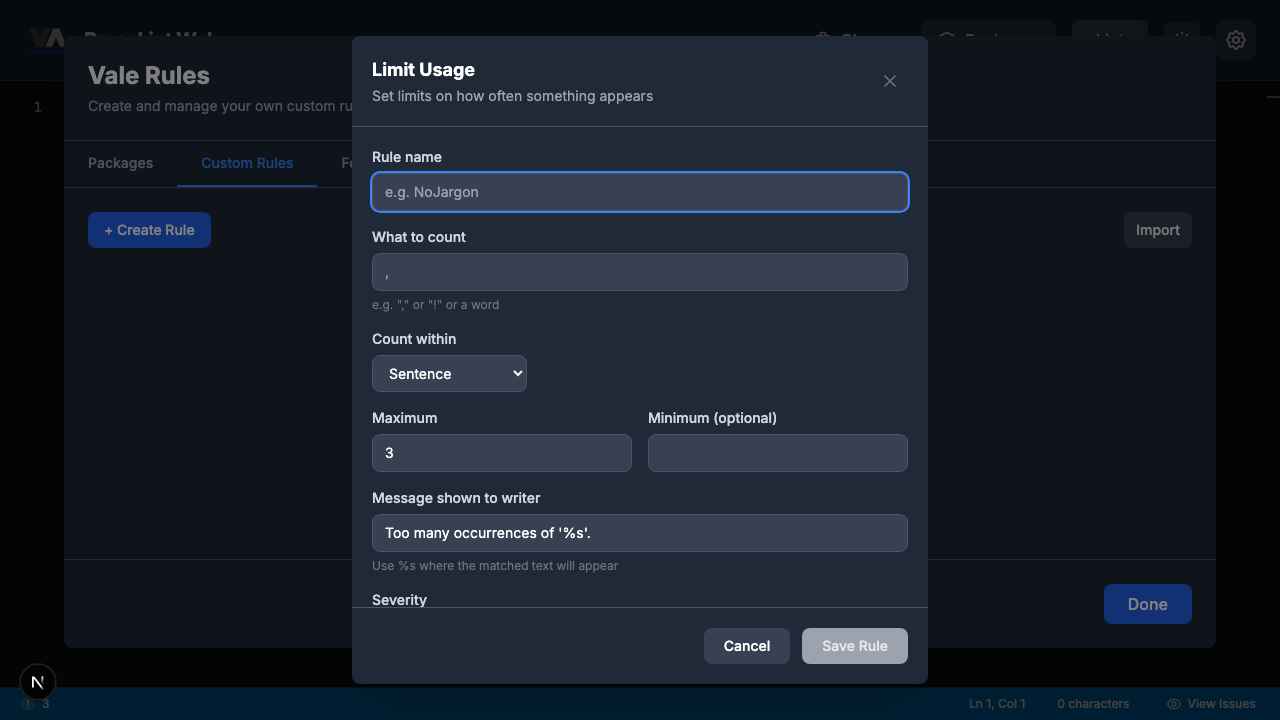
The rule builder opens with fields specific to occurrence counting. The form has these sections:
- Rule name — a unique identifier for your rule
- What to count — the character, word, or pattern to track
- Count within — sentence, paragraph, or entire document
- Maximum — the upper limit before flagging (defaults to 3)
- Minimum (optional) — a lower limit if you need a minimum count
- Message shown to writer — pre-filled with
Too many occurrences of '%s'. - Severity — suggestion, warning, or error
Step 6 — Fill in the rule and save
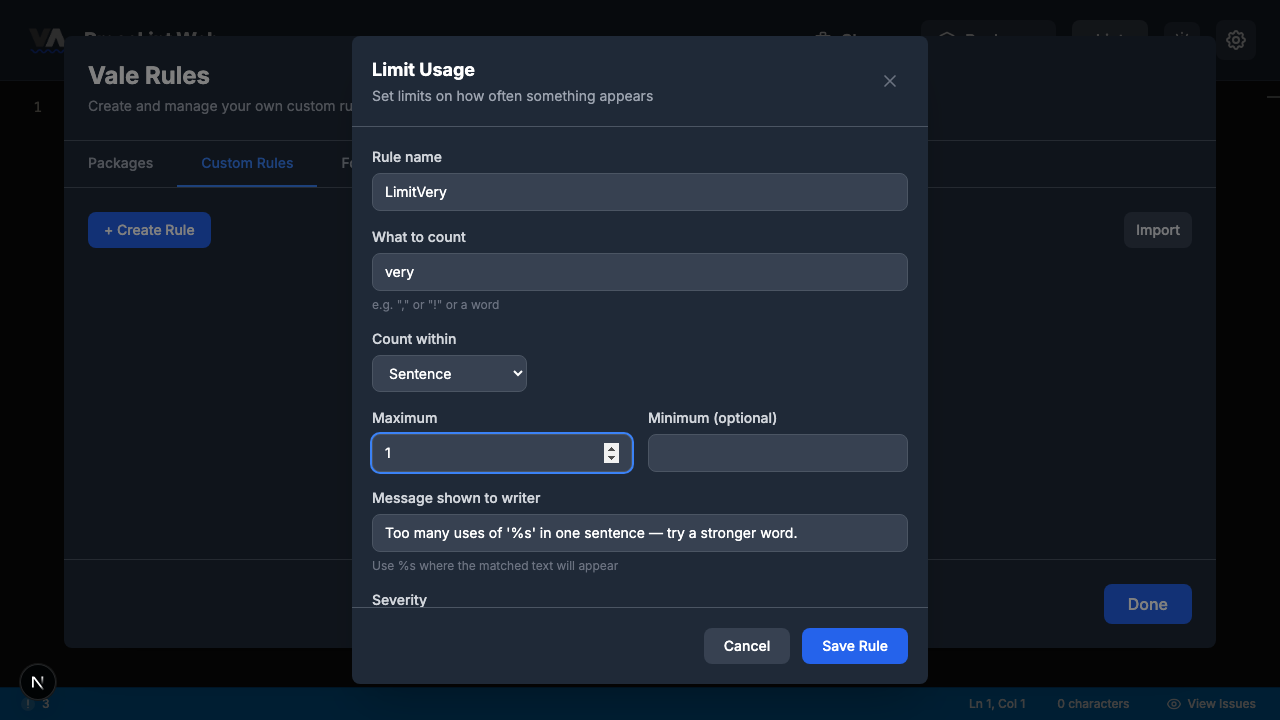
Enter LimitVery as the rule name and configure:
- What to count:
very - Count within: Sentence
- Maximum:
1 - Message:
Too many uses of '%s' in one sentence — try a stronger word. - Severity: Warning
Click Save Rule.
Step 7 — Close the modal
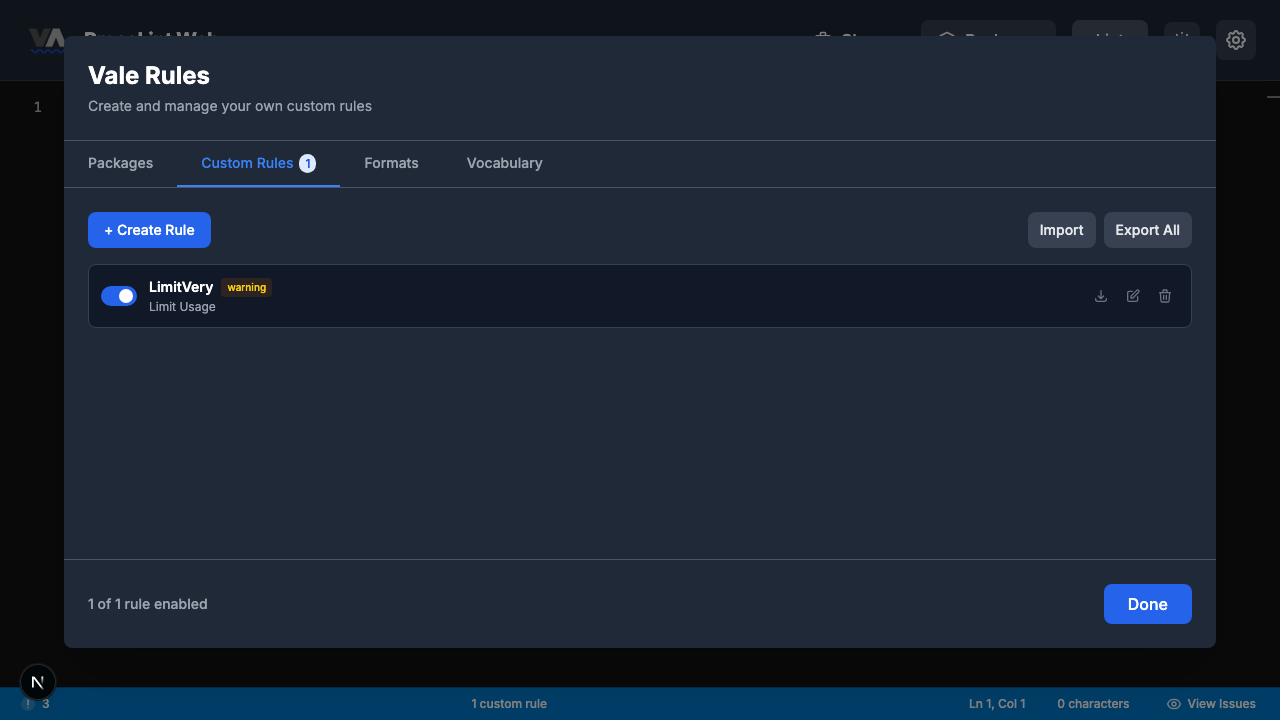
The rule is saved and appears in the Custom Rules tab. Click Done to close the modal and return to the editor.
Step 8 — Enter some text and lint
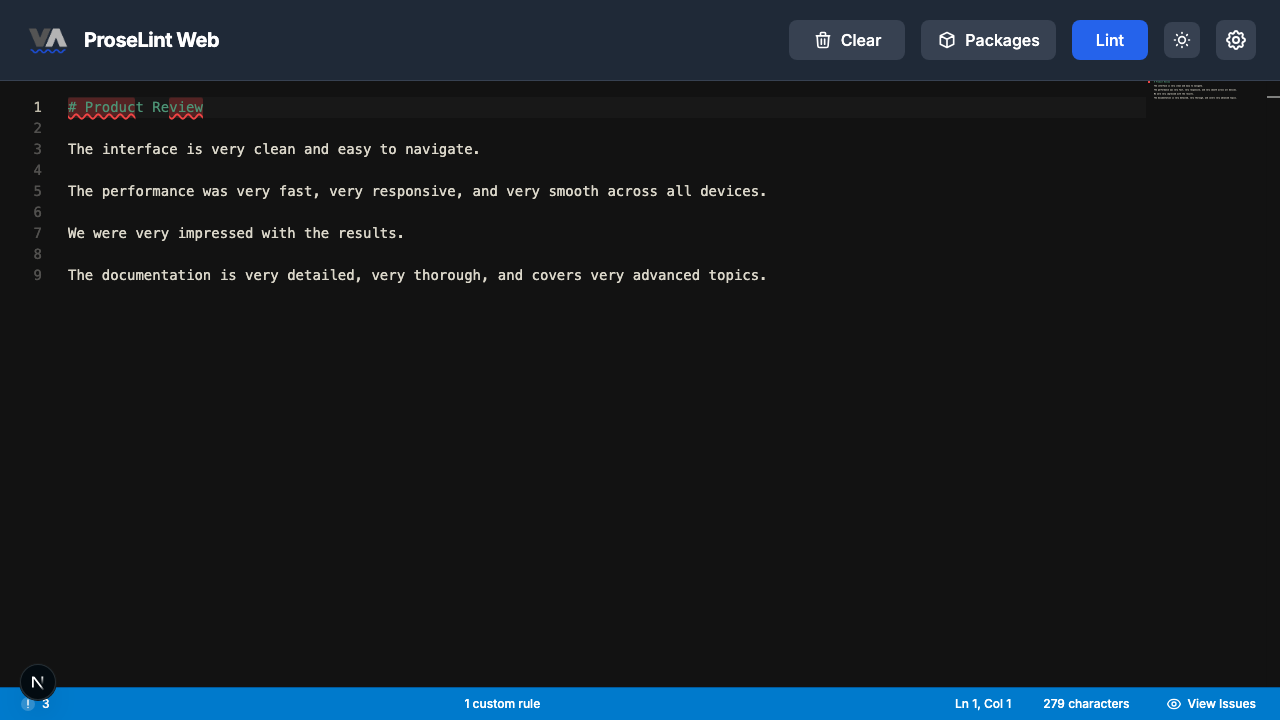
Paste this Markdown into the editor. Some sentences use "very" once (acceptable), while others stack multiple instances:
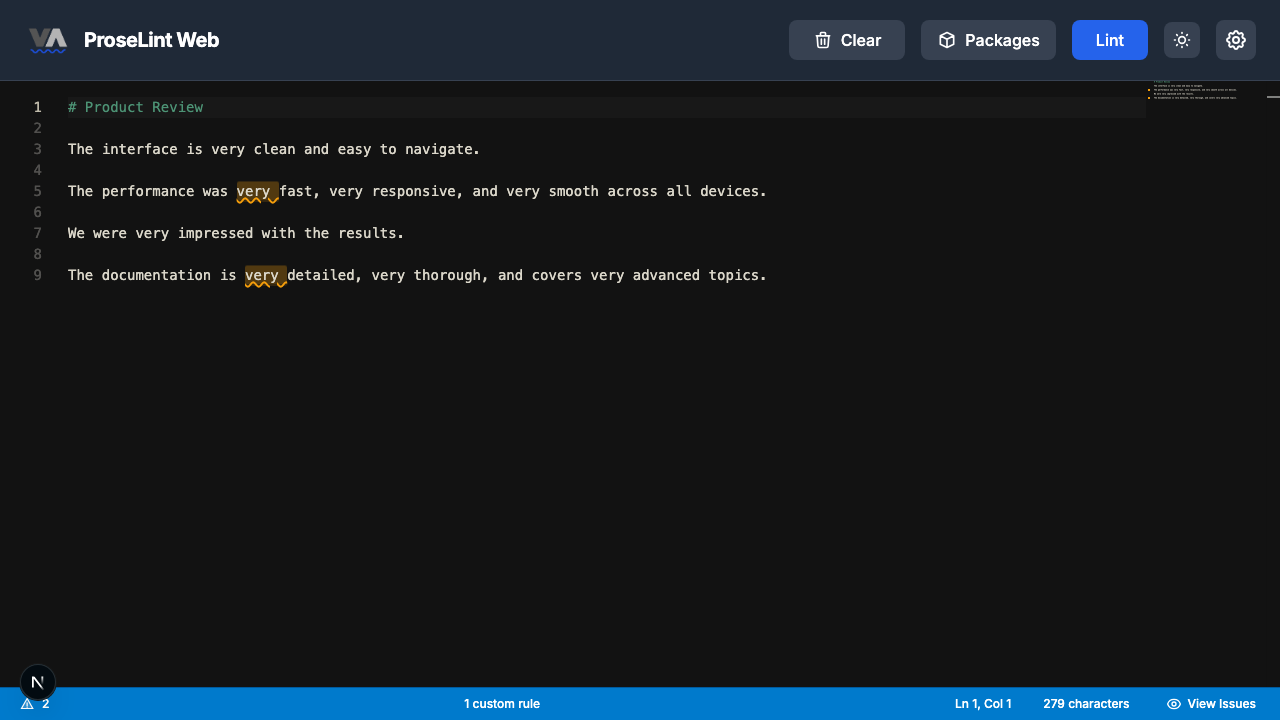
# Product Review

The interface is very clean and easy to navigate.

The performance was very fast, very responsive, and very smooth across all devices.

We were very impressed with the results.

The documentation is very detailed, very thorough, and covers very advanced topics.
Click the Lint button to run Vale.
Step 9 — Review lint results
After linting, Vale highlights the sentences that use "very" more than once. Two sentences are flagged — lines 5 and 9, which both contain three instances of "very" in a single sentence.
Step 10 — Review all issues
Click the issue count in the status bar to open the issues panel. The panel shows which sentences exceeded the limit:
- Too many uses of 'very' in one sentence — try a stronger word.
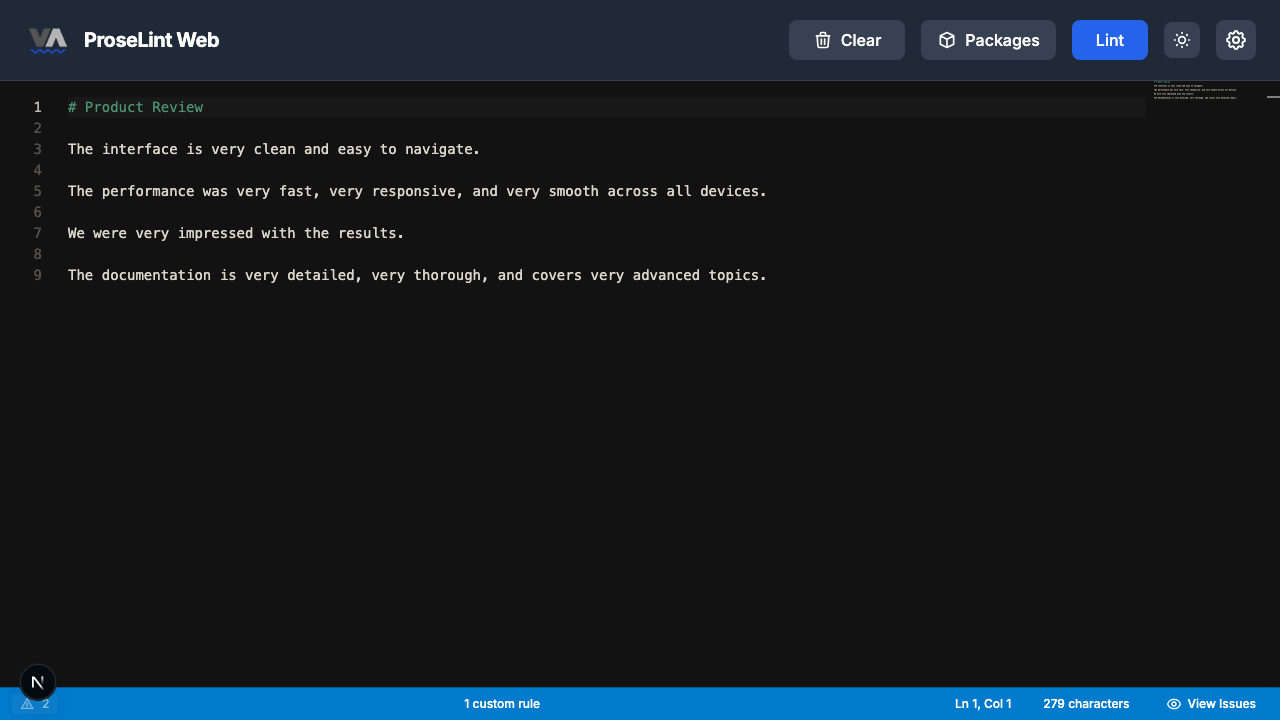
The single-"very" sentences pass cleanly. Only the sentences stacking multiple instances of "very" are flagged.
Other uses for Limit Usage rules
The "very" example is just one application. You can use Limit Usage rules for:
- Exclamation marks — set
!with a maximum of 1 per paragraph to prevent breathless writing - Hedge words — limit "maybe" or "perhaps" to once per paragraph
- Specific jargon — limit how often a word like "leverage" appears per document
Next steps
- Adjust the threshold — lower the maximum to 0 if you want to ban "very" entirely (use a Flag Words rule for that instead).
- Change the scope — switch from "Sentence" to "Paragraph" to count across larger blocks.
- Export and share — click Export to download the rule as a
.ymlfile. - Try other rule types — the custom rules overview covers all eight Vale check types.
Resources
- Tutorial: Flag Words or Phrases — ban specific words
- Tutorial: Suggest Alternatives — replace words with better options
- Tutorial: Enforce Consistency — catch inconsistent spelling
- Custom rules overview — all 8 rule types explained
- ProseLint Web editor — try it now
Lint your docs for free
Browser-based Vale linting. No install, no sign-up, 100% private.
Open ProseLint WebGet it reviewed without GitHub friction
Share docs PRs with anyone for review. GitHub account optional.
Try DraftView free